Harvester UI · Developed by us
The device pages get their own "Hardware Devices" group in the side menu
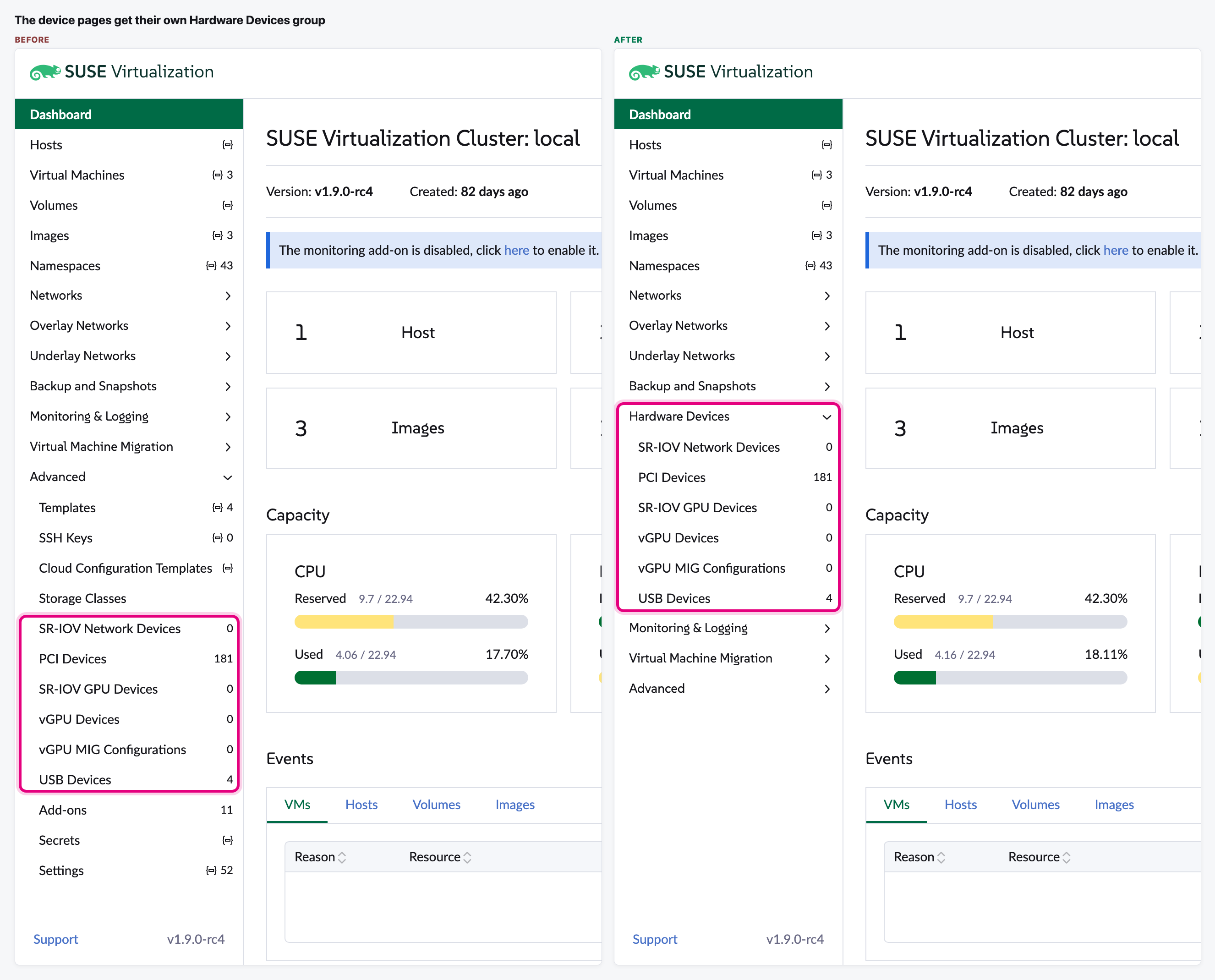
The six device pages (PCI, USB, SR-IOV and vGPU) were inside "Advanced", next to templates, keys and settings, so Advanced had 14 pages. We moved them into their own "Hardware Devices" group, right after Backup and Snapshots.
What changes for the user
- A new "Hardware Devices" group in the side menu, right after Backup and Snapshots.
- It holds SR-IOV Network Devices, PCI Devices, SR-IOV GPU Devices, vGPU Devices, vGPU MIG Configurations and USB Devices, in the same order and with their counts.
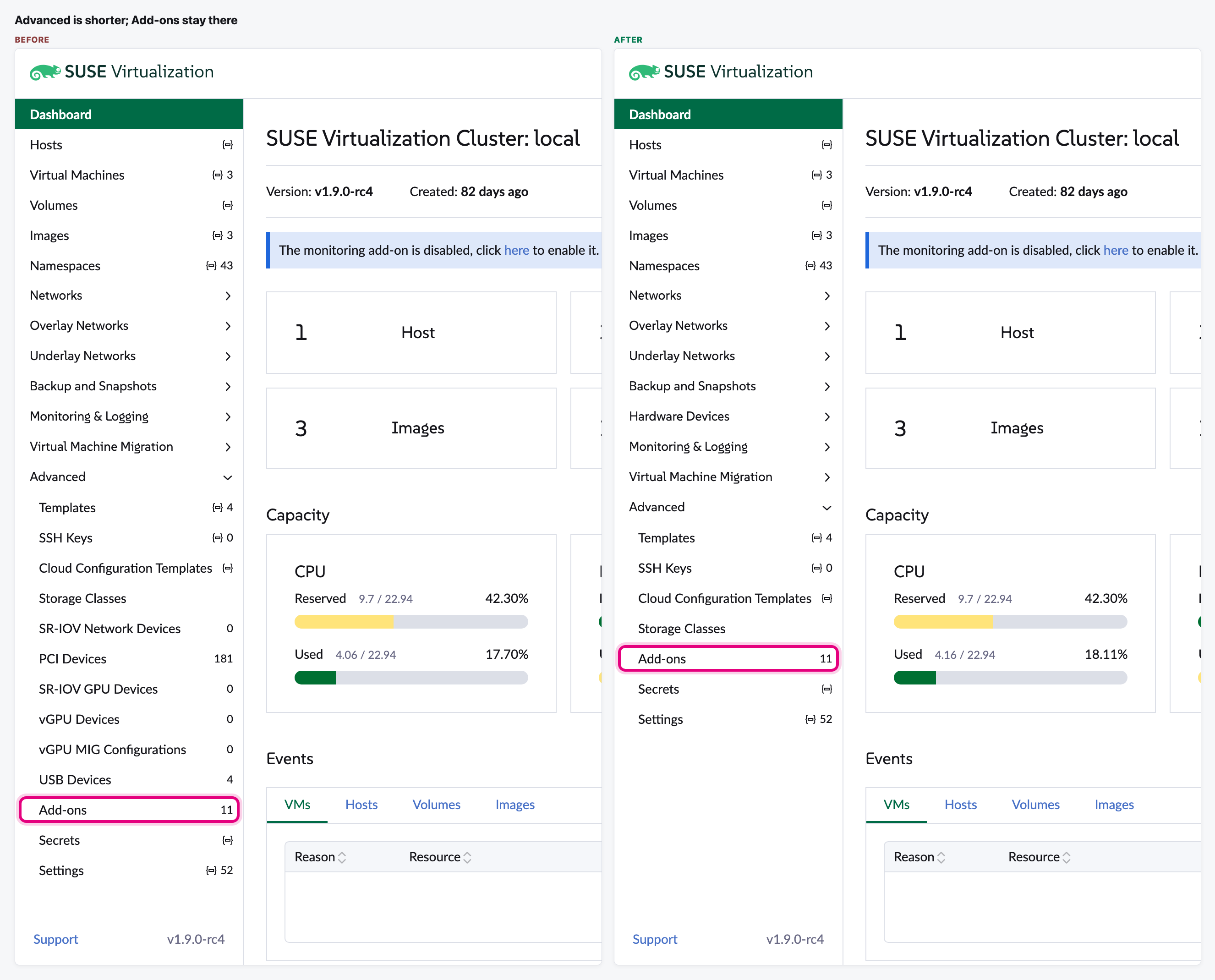
- Advanced goes down from 14 pages to 8. Add-ons, Templates, SSH Keys, Cloud Configuration Templates, Storage Classes, Secrets and Settings stay there.
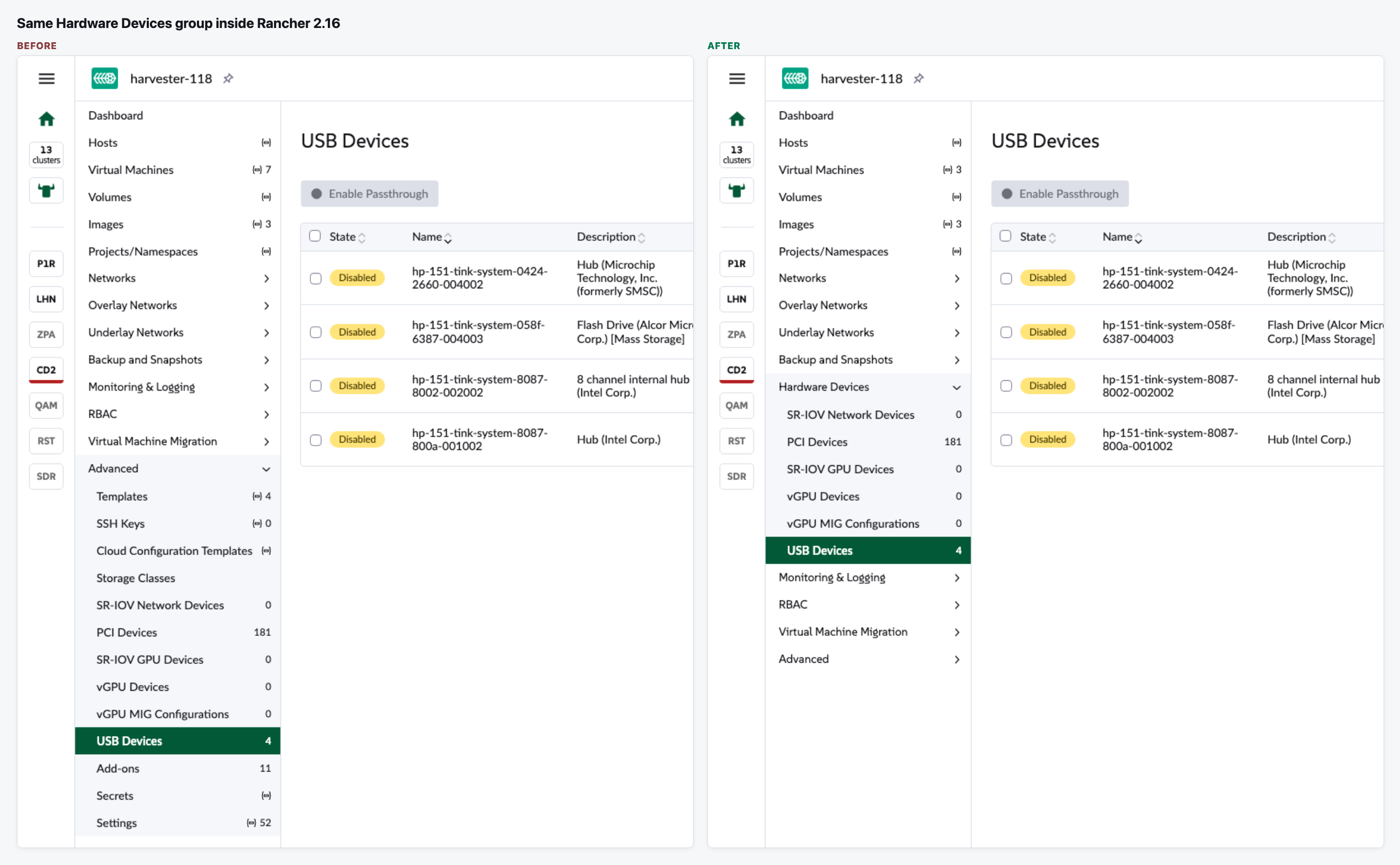
- Every device page works as before. The same group shows up when you open the cluster from Rancher 2.16.
Needs a decision
- The group name: "Hardware Devices" (a maintainer's suggestion on the issue, what we built) or "Devices" (what the issue author asked for)?
The flow
Where the device pages are
They move from the bottom of Advanced into their own group, after Backup and Snapshots.
What stays in Advanced
Advanced keeps its other pages, Add-ons included.
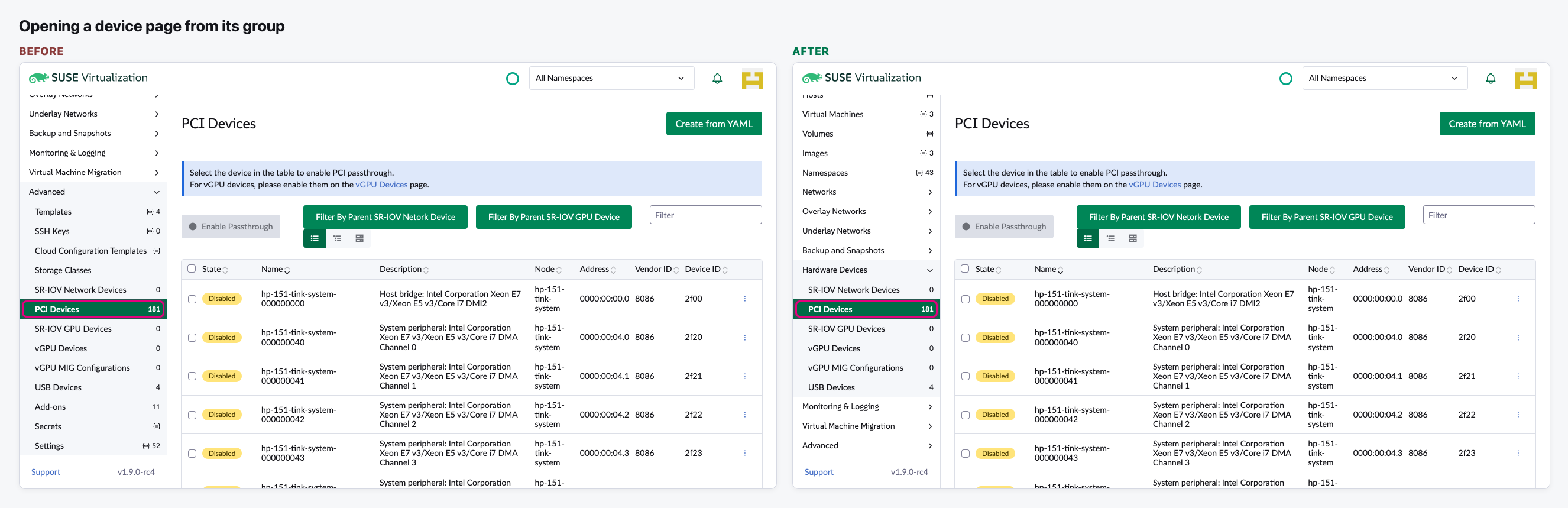
Opening a device page
Click PCI Devices in the new group. The page is the same as before.
Inside Rancher 2.16
Opening the same Harvester cluster from Rancher shows the same group, in the same place.
Video (optional)
0:00 Before: the device pages inside Advanced · 0:20 After: the Hardware Devices group, PCI and USB Devices, the shorter Advanced
Notes
- We followed a maintainer's comment on the issue for the name ("Devices" might be too general). The issue author asked for "Devices". It's a one-word change if we pick the other name.
- If you open a device page straight from a link, the side menu starts with every group closed. Current main does the same; this change doesn't make it worse.
- Only the menu moves. The pages, their web addresses and who can see them stay the same.